Latest from the Blog

June 12, 2026 BIM Automation

From Concept to Cost: The Power of Drawing Automation

Drawing Automation

Imagine starting a project from scratch, rapidly generating the conceptual massing, flying through design approvals, and instantly outputting automated drawing documentation alongside a precise bill of materials for cost calculation.

Starting from Scratch, Instantly

Every project starts with a blank canvas, but it doesn't have to stay blank for long. Drawing automation tools allow architects to bypass the tedious initial setup. Instead of manually drawing grids, setting up levels, and placing repetitive conceptual blocks, automation scripts can generate the foundational structure of your building in seconds based on a few initial parameters.

Accelerating Design Approval

Getting a design approved by clients and stakeholders often requires rapid iterations. When you are forced to manually update floor plans, sections, and elevations every time a wall moves, the revision process grinds to a halt. By automating dimensioning, tagging, and view template styling, your documentation updates instantly alongside your 3D model. This means you can present updated, polished drawings to clients faster, securing design approvals without the late-night drafting sessions.

Automated Documentation

The transition from Design Development to Construction Documents is notorious for consuming massive amounts of billable hours. Automated drawing tools, like those in the dsales Architect suite, handle the heavy lifting. They align windows perfectly across facades, auto-dimension entire floor plans, and generate room-specific floors and ceilings automatically. Your team shifts from being "CAD Draftsmen" back to being true "Architects."

Automatic Quantities for Cost Calculation

Perhaps the most powerful advantage of an end-to-end automated workflow is data extraction. Because the model is built with precise, standardized families and automated boundaries, you can extract a highly accurate Bill of Materials (BOM) instantly. You get automatic, real-time quantities of concrete, flooring, framing, and fixtures that can be directly used to calculate the exact cost of the project. No more manual take-offs or missed elements.

June 11, 2026 Revit Workflows

Why Every Architect Needs a Family Organizer in Revit

Family Organizer in Revit

If you have ever spent 20 minutes clicking through messy server folders looking for that one specific couch family, you already know the pain of Revit family management.

The Hidden Cost of Messy Libraries

In a standard architectural firm, the average Revit user spends up to 15% of their modeling time just searching for, loading, and verifying Revit families. When your library isn't organized, team members inevitably start downloading untrusted families from the internet, which bloats your project files, introduces corrupted parameters, and ruins your office standards.

Visual Search is a Game Changer

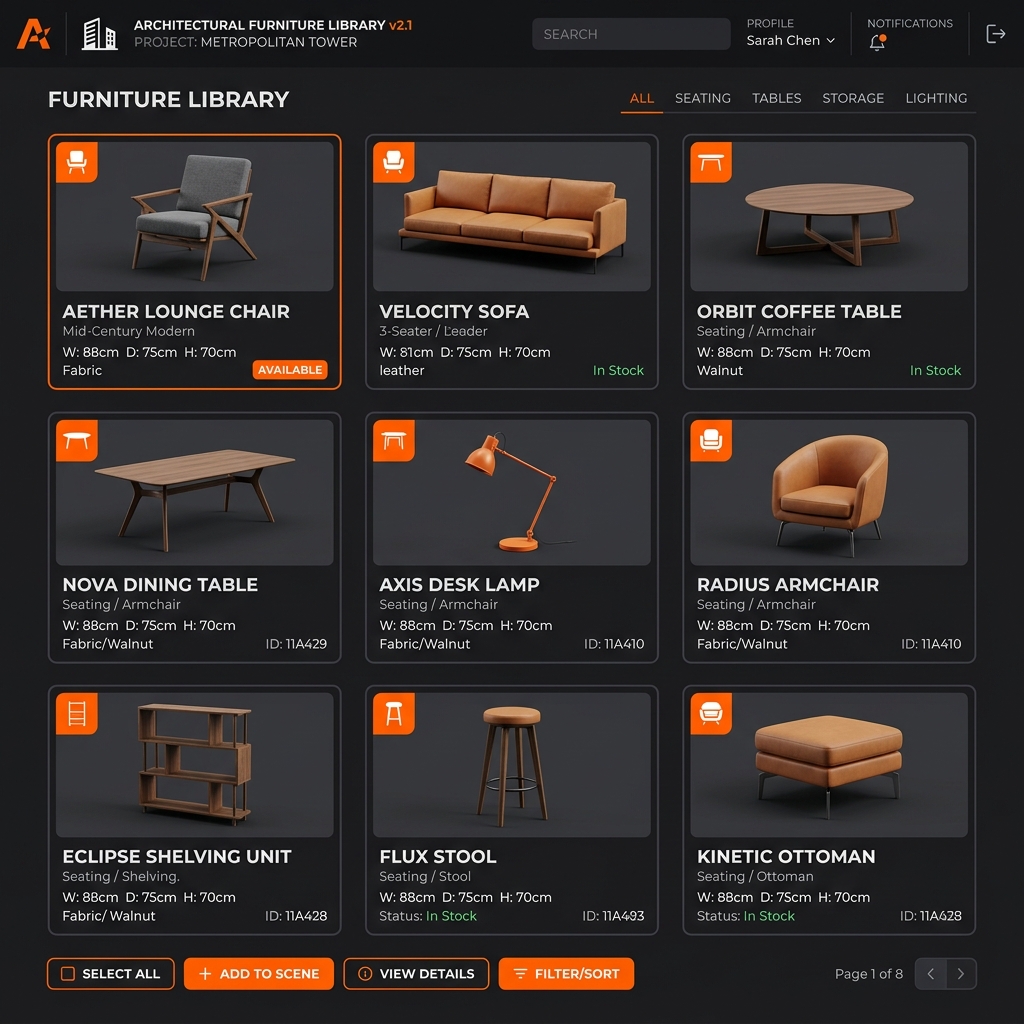
Humans are visual. Reading a file name like CHAIR_HMAN_AER_72.rfa tells you almost nothing. A dedicated Family Organizer solves this by providing instant, visual thumbnails of every asset. You can instantly spot the difference between a lounge chair and an office chair without loading it into your project first.

Protecting Your Office Standards

By using a centralized Family Manager (like dsales Architect), you ensure that your entire team is pulling from a single source of truth. The moment a BIM Manager updates a family to fix a parameter, the entire firm has access to it immediately.

Conclusion

Stop treating Revit families like simple files in a Windows folder. They are intelligent assets that hold data, geometry, and your firm's standards. Upgrading to a visual Family Organizer isn't just about making things look prettyβ€”it is about reclaiming hundreds of billable hours across your entire team.

June 10, 2026 Tool Comparisons

The Offline Advantage: Why Local Family Organizers Beat Cloud Solutions

Offline Local Control vs Cloud

Cloud-based Revit family organizers are everywhere, but they come with a hidden flaw: they force you into rigid, vendor-locked folder structures that ignore how your specific office operates.

The Problem with "One Size Fits All" Cloud Managers

Many of the leading Revit Family managers on the market today operate strictly on the cloud. While convenient for the vendor, it creates massive headaches for BIM Managers. These tools often enforce a strict taxonomy or hide your files behind encrypted databases. You cannot easily configure custom local server paths or specific mapped network drives (like Z:\Revit_Standards\) that your firm has relied on for a decade.

Total Control Over Your Data

An offline, local-first Family Organizer (like dsales Architect) respects your existing infrastructure. Whether your firm uses a traditional local server, a synchronized network folder, or a mapped drive, an offline tool allows you to map your own specific folder locations for every single user. Your files remain exactly where you put themβ€”accessible, unencrypted, and fully under your control.

Zero Lag, Zero Downtime

Cloud tools require an internet connection to load thumbnails and download families every time you insert them. When you are on a tight deadline, a slow internet connection or a vendor server outage can paralyze your workflow. Local organizers pull assets directly from your high-speed SSD or local network, resulting in zero lag and instant drag-and-drop performance.

Conclusion

While cloud solutions look flashy, they strip away the control and customizability that professional firms require. An offline Family Organizer provides the speed, security, and flexible folder configuration you need to maintain your firm's unique BIM standards without compromising to fit a third-party's rigid system.

πŸ’¬ Quick Answers

×
Hi there! πŸ‘‹ Welcome to dsales Architect. What do you need help with?